
Thermomix recipes: how to track calories and macros
Many Thermomix recipes on Cookidoo already show calories per serving. The trouble starts afterwards: your portion is rarely the one on the page, and logging it usually means copying the ingredients one by one. Here is the sum to do by hand and the way to bring the recipe into GetYourMacros with a link.
Why logging a Thermomix recipe is awkward
The per-serving figure is the recipe's total divided by the servings stated. It only holds if you eat exactly that amount: if a 4-serving recipe becomes 3 generous plates at home, the calories and macros on your plate are higher than the page says.
Then there is the diary. A calorie counter usually asks you to search for each ingredient, pick the right entry and type the grams. For a risotto with eight ingredients that is a lot of tapping, and you start again with every new recipe.
How to work out your portion by hand
All you need is a kitchen scale and two minutes.
- Multiply the per-serving value by the number of servings: that is the total.
- Weigh all the cooked food, leaving out the weight of the container.
- Weigh what goes on your plate and work it out: total × your grams ÷ cooked grams.
Example: a 4-serving recipe with 435 kcal, 30 g protein, 45 g carbs and 15 g fat per serving comes to 1,740 kcal in all. If the cooked food weighs 1,600 g and you serve yourself 500 g, you eat 1,740 × 500 ÷ 1,600 = 544 kcal, with 38 g protein, 56 g carbs and 19 g fat. These numbers are only an example.
The sum is easy, but you have to repeat it for every dish and then enter the result by hand. Starting from the recipe's link is quicker.
From a Cookidoo recipe to your diary with a link
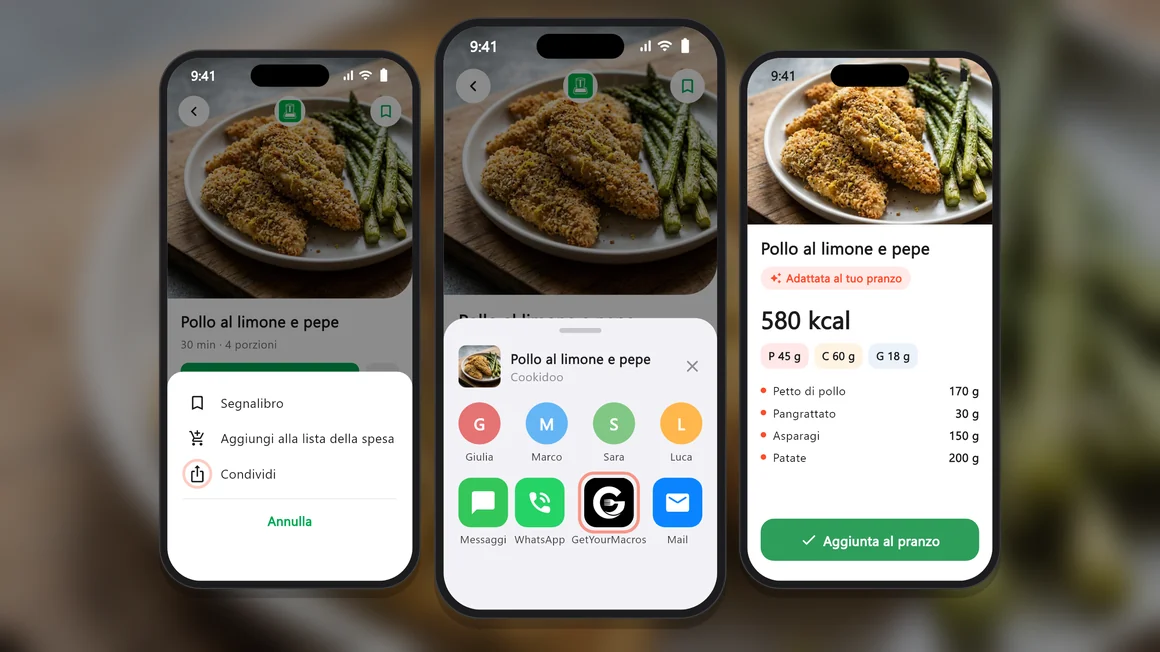
It works the way it does when you import recipes from Instagram or TikTok: you start from the Share button of the app you are in.
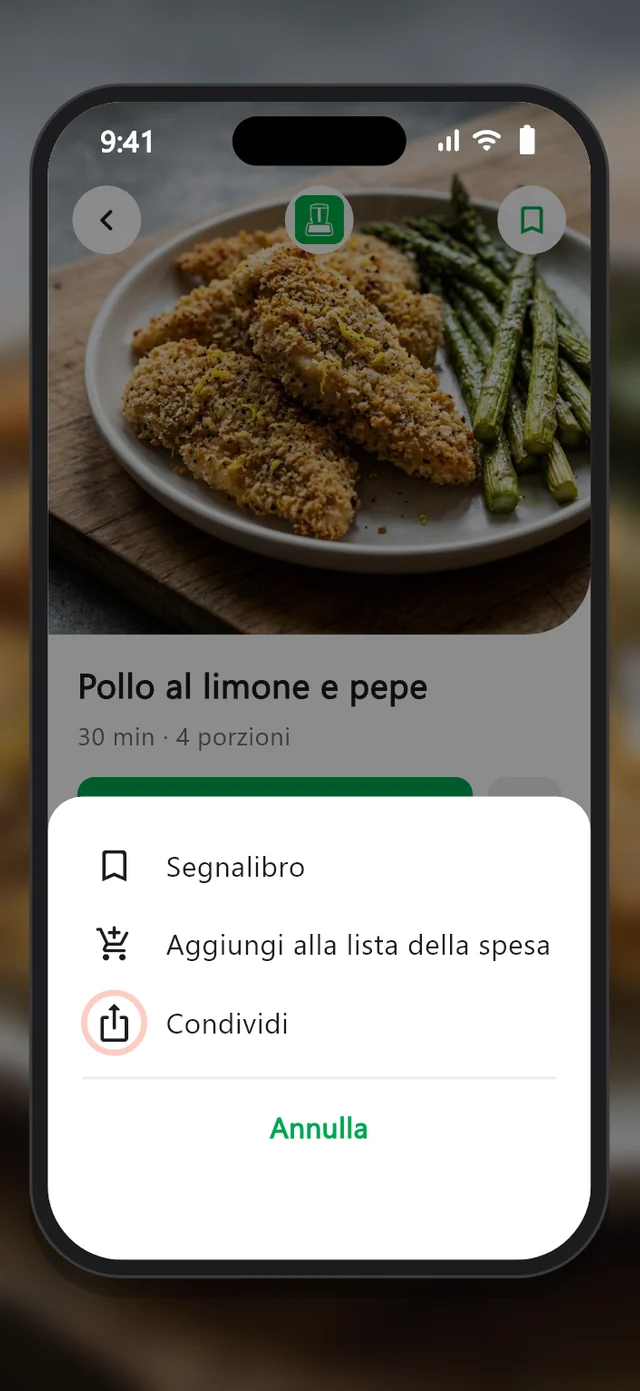
- Open the recipe in the Thermomix app and tap the three dots.
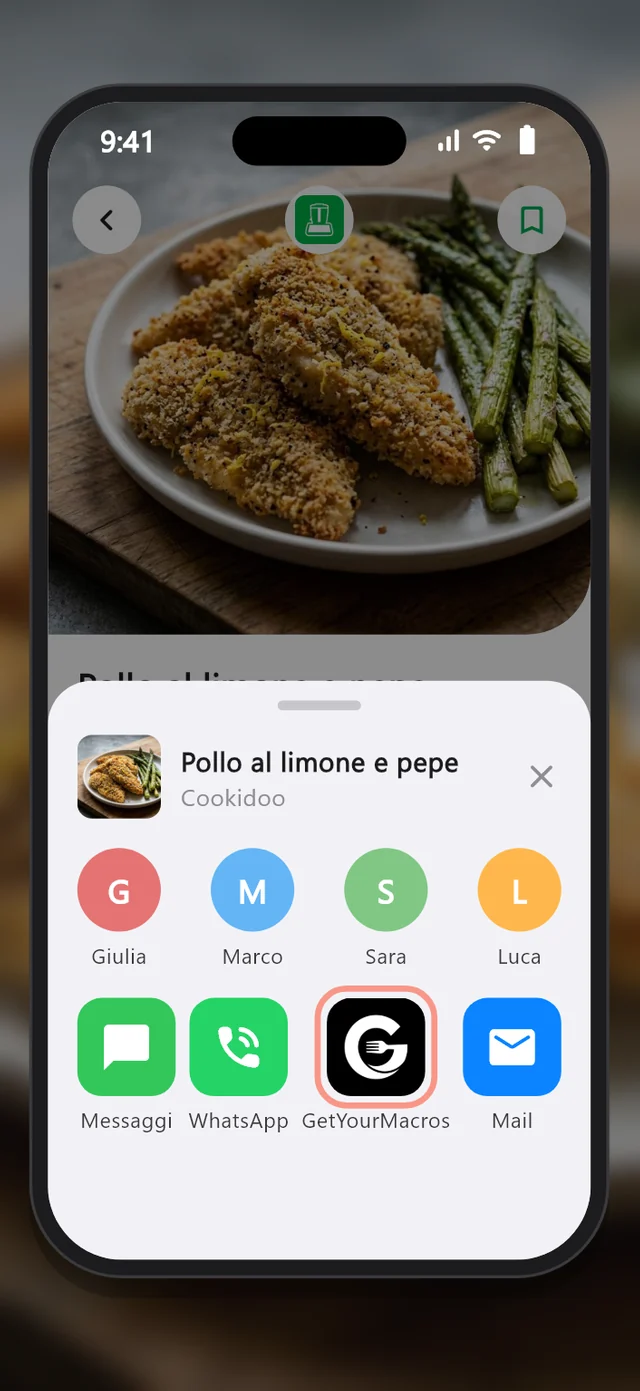
- Tap Share and pick GetYourMacros.
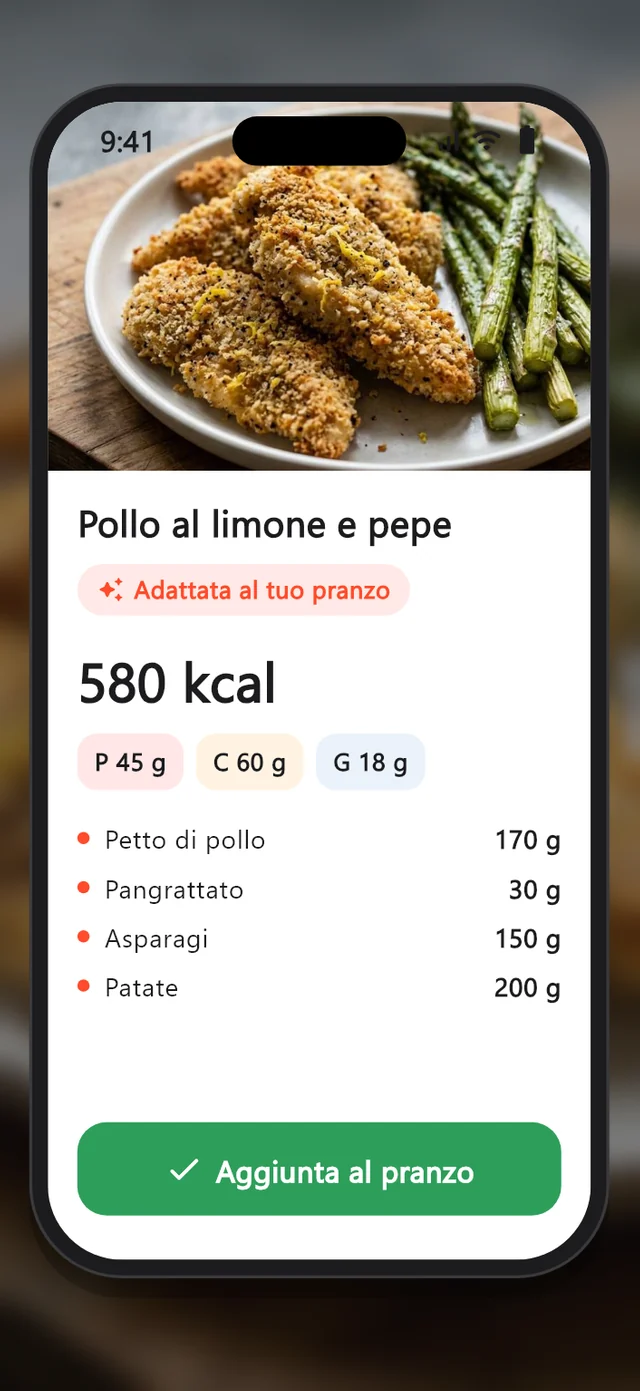
- Check the ingredients and macros, tap Add to lunch and say how much you are having.
If you prefer, tap + on Home in GetYourMacros, pick Thermomix and paste the recipe's link.
What reaches the app and what stays on Cookidoo
| What | In GetYourMacros |
|---|---|
| Public recipes | Can be imported |
| Ingredients and amounts | Reach the app, and you can correct them |
| Calories and macros per serving | Worked out by the app |
| Cooking steps | Stay on Cookidoo |
| Recipes you created or saved | Cannot be imported |
The macros may not match Cookidoo's, because the app works them out from the ingredients with its own food database. Check the list before saving and correct anything that looks wrong. The saved recipe has an Open on Cookidoo button for the steps.
How it fits into your day
When you add the recipe to a meal you choose how much of it you are having, so your food diary counts your portion and shows what is left for the day. The recipe stays with your others for next time.
If you would rather have a dish built around your numbers, start from recipes from your macros. The free version includes one import a week; Premium has no weekly limit.
Note: GetYourMacros is not affiliated with Vorwerk. Thermomix and Cookidoo are trademarks of their respective owners. The screens above are drawn for this example.
Frequently asked questions
Is there an official integration between Thermomix and GetYourMacros?
No. GetYourMacros is not affiliated with Vorwerk and does not access your Cookidoo account. It only reads the public page of the recipe whose link you share.
Can I import the recipes I created on Cookidoo?
No, because they are visible only with your account. You can import a public recipe or a screenshot of the ingredients.
Are the calories the same as the ones on Cookidoo?
Not always. GetYourMacros works them out from the ingredients with its own food database, so the value can differ. You can check and correct the ingredients before saving.
Do the cooking steps come into the app too?
No, the steps stay on Cookidoo. The saved recipe has an Open on Cookidoo button so you can follow them.
How much does it cost to import a Thermomix recipe?
The app is free and includes one import a week. With Premium, imports have no weekly limit.
The recipes you import land in your food diary. Discover the GetYourMacros calorie counter.
Start for free
Download GetYourMacros, share a recipe from Cookidoo and add it to a meal.