
Calorie Counter and Budget: The Best Apps to Track Calories and Grocery Spending in 2026
Looking for a calorie counter and budget in one place, an app that keeps track of both the calories you eat and the money you spend to eat them? The question almost always comes up at the same moment: you start a diet, open the food diary and notice that what the app tells you to eat and what the supermarket receipt lets you buy speak two different languages. This guide compares six calorie-counting apps from one specific angle: which ones help you stay within a budget, which ones are really free, and what premium costs. First, though, it is worth pinning down what you mean by budget, because the word has two meanings and the right app depends on which one you care about.
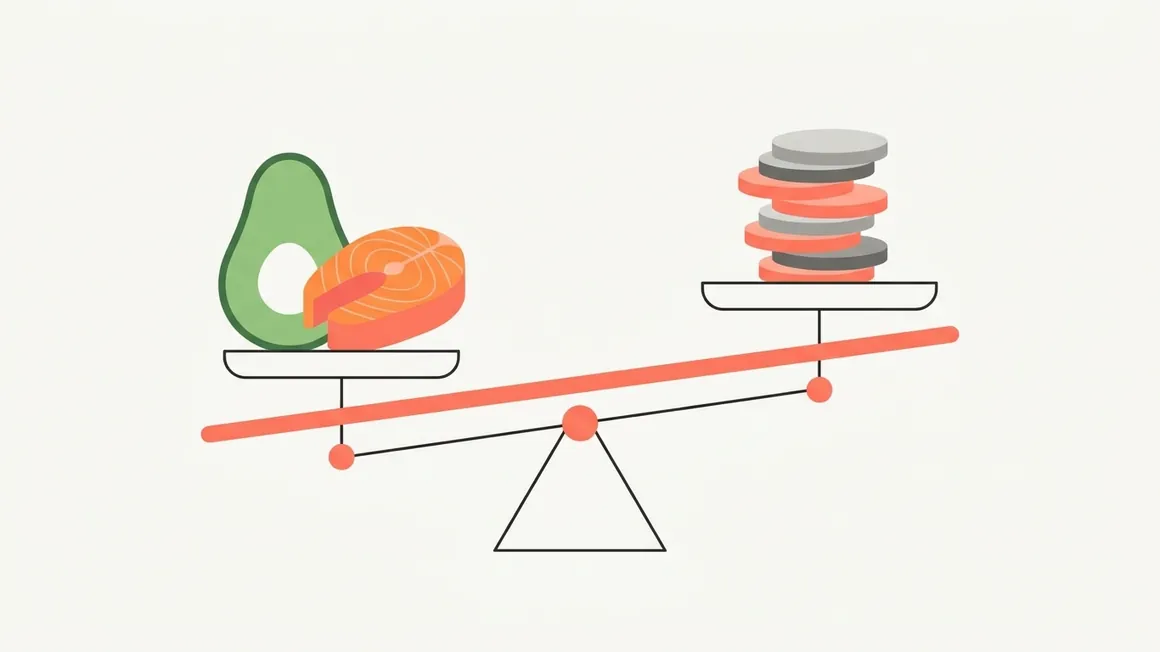
Calorie counter and budget: two meanings, one problem
When people say calorie counter and budget they usually mean one of two very different things, and apps handle them very differently.
The first is your calorie budget: the amount of energy you can eat in a day to reach your goal. It is the number in the diary ring. Every meal spends some of it, every workout stretches it a little, and in the evening you find out whether you stayed inside or went over. Every calorie-counting app manages this budget, with more or less precision.
The second is your grocery budget: how many euros a week or a month you are willing to spend on food. This is where most calorie counters stop. They tell you how much protein you are missing, but not what it costs; they suggest a salmon dish, without knowing that the same money would have bought three cartons of eggs and a pack of tuna.
In short: a calorie counter that ignores prices tells you what to eat but not whether you can afford it. A budgeting app that ignores calories tells you what you spent but not whether you ate well. You need both numbers, in the same place: it is the only way to know whether the plan you are following still works at the end of the month.
The two budgets are really the same problem: spreading a fixed resource across seven days. And they push on each other. Protein is the most expensive macronutrient per kilo, so a high-protein plan built without looking at prices almost always ends up over budget, and a shopping trip built around the offers almost always ends up over calories. If the problem you want to solve is "eat well with what I have", the right question for an app is not only "how many calories is this dish?" but also "what does this week cost me?".

How we compared the apps
We lined up the most used calorie counters in Italy plus the only app that currently claims to combine budget and calories, and looked at five things:
- Calories and macros: does the diary track calories, protein, carbs and fat against a daily target?
- Grocery budget: does the app connect what you eat to what you spend, or is your wallet left out?
- What is really free: the barcode scanner above all, which some apps have moved behind the subscription.
- What premium costs: the yearly subscription price on the Italian App Store in September 2026.
- Logging speed: photo of the plate, scanner, database search. A calorie counter that needs two minutes per meal is abandoned by week two.
Disclosure: GetYourMacros is our app. We include it because it is the only one on this list built around a grocery budget, but for every alternative you will also find the cases where it is the better pick.

Comparison table: calorie counter and budget side by side
| App | Calories and macros | Grocery budget | Free scanner | Premium (year) | Platforms |
|---|---|---|---|---|---|
| GetYourMacros | Yes | Yes: plan within budget, multi-supermarket list, cost per serving | Yes | €19.99 | iOS, Android |
| LUC | Yes | Partial: personal budget (expenses, bills), not linked to meals | n/a | n/a | Android |
| YAZIO | Yes | No | Yes | from €29.99 | iOS, Android |
| FatSecret | Yes | No | Yes | from €35 | iOS, Android |
| MyFitnessPal | Yes | No | No, Premium only | €49.99 | iOS, Android |
| Cronometer | Yes | No | Yes | €69.99 | iOS, Android |
Yearly subscription prices as listed on the Italian App Store in September 2026; they change with promotions, free trials and country. YAZIO and FatSecret list several price tiers depending on the plan.
The apps, one by one
1. GetYourMacros: calories, macros and groceries in one app
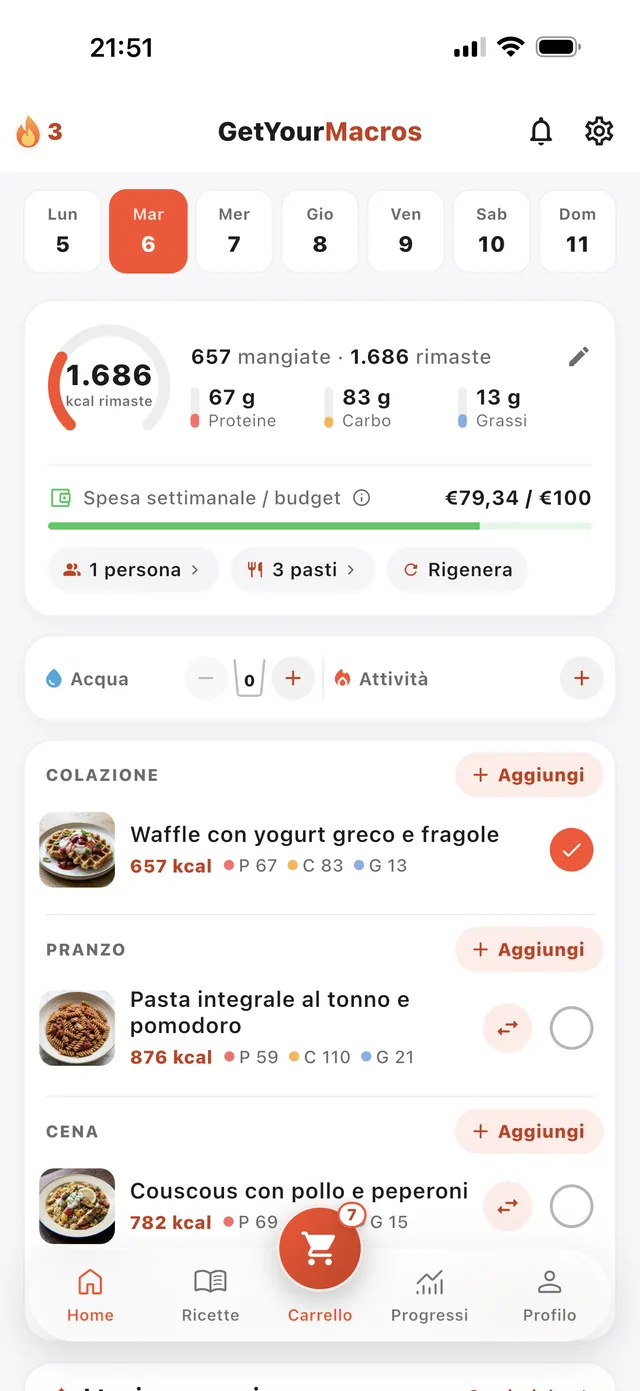
GetYourMacros was built around exactly the question in this guide. Onboarding calculates your calorie needs and your protein, carb and fat targets, but it also asks something no other calorie counter asks: how much you want to spend per week. From there you get a weekly meal plan made of real recipes, each with calories, macros, prep time and an estimated cost, that fits the budget you set. If a dish does not appeal, one tap swaps it: the alternative is another dish of the same course, rescaled to the same calories.
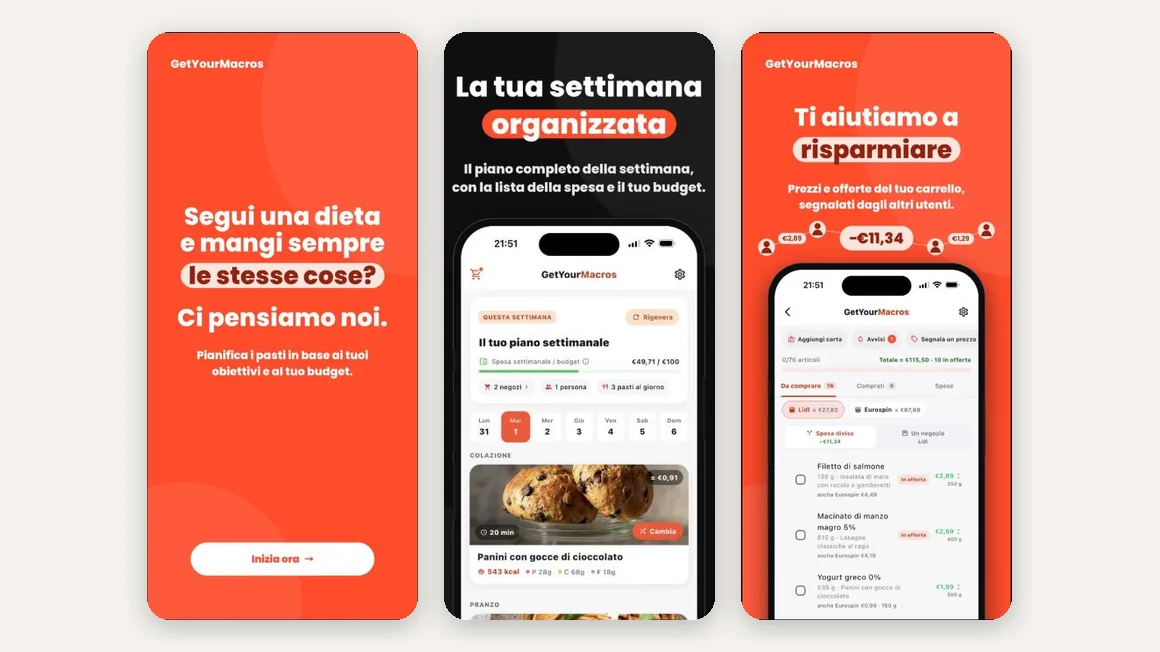
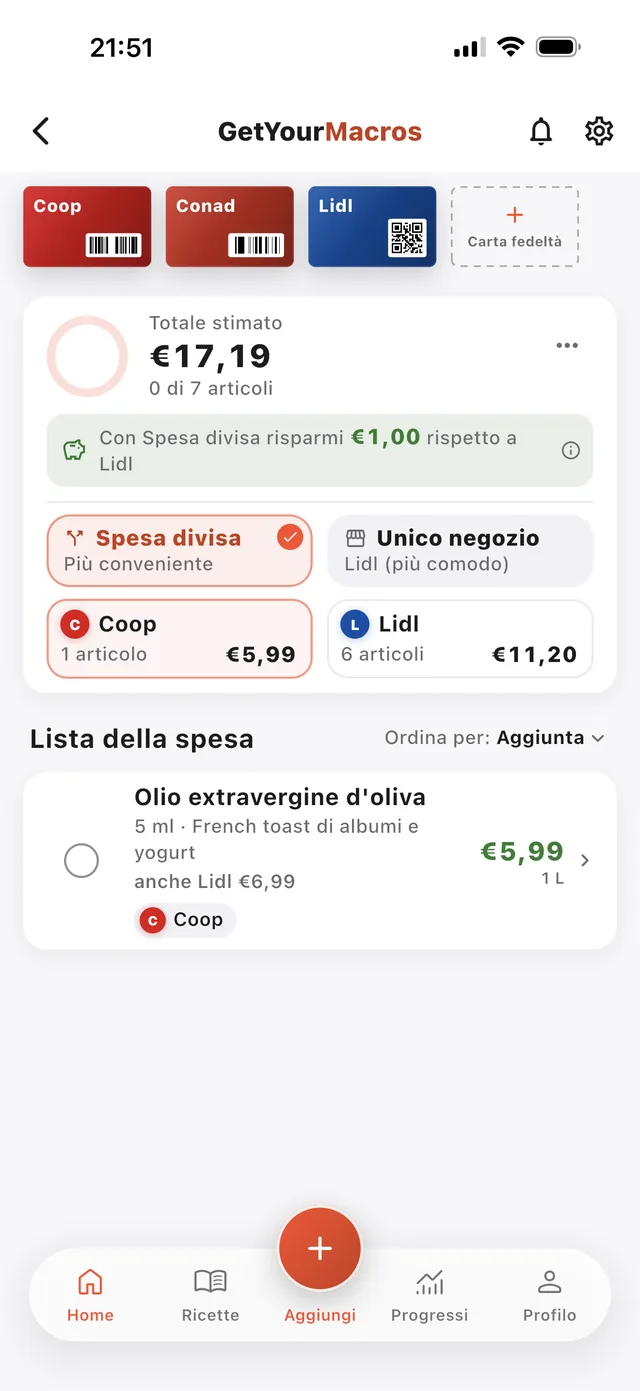
The budget is not a separate tab. The plan produces a shopping list you can split across the supermarkets you choose; the app compares that with buying everything in one store and shows the actual saving. Prices come from the community, who report them by scanning a barcode or photographing the shelf tag; where a price is missing you see an estimate labelled as such. And the spending tab counts the cost of the food you actually eat, scaled to the portions you cook, not the total of the full packs: that is the "cost per serving" you need to judge whether a diet is sustainable.
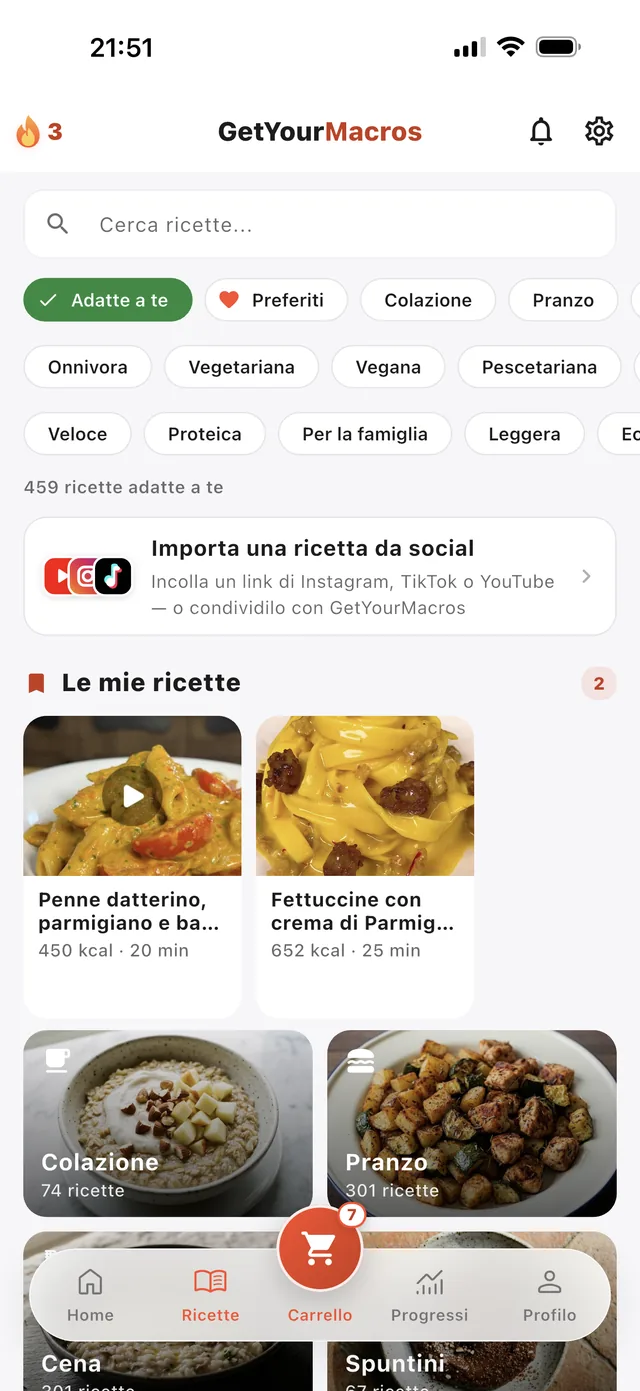
The food diary does what you expect from a modern calorie counter: log a meal by photographing the plate (AI estimates calories and macros), scanning a barcode or searching the database, and read your progress on the calorie ring and macro bars, with 7- and 30-day averages. You can import recipes from TikTok, Instagram, YouTube or any link and send their ingredients to the list. No account is needed to start. The free version covers plan, diary and groceries; optional Premium costs €2.99 a month or €19.99 a year, with a free week.
Best for: anyone who wants to lose weight or build muscle without blowing up the grocery bill, people who cook at home and shop at more than one supermarket, and anyone who dropped other calorie counters because they "did not account for real life".
Limits: the price database is community-fed, so in areas with few users you will see more estimates than reported prices; the AI features (plate photo) have a free quota.
2. LUC: personal finance and calories together, Android only
LUC (Life Under Control) is the app that currently shows up first on Google for calorie counter and budget, and it is worth understanding why: its name contains both words. It is an all-in-one Android app with three modules side by side, a personal budget with expenses, bills and debts, a calorie counter, and a protein and workout log. A sensible pick if you want a single app for daily discipline, from money to food.
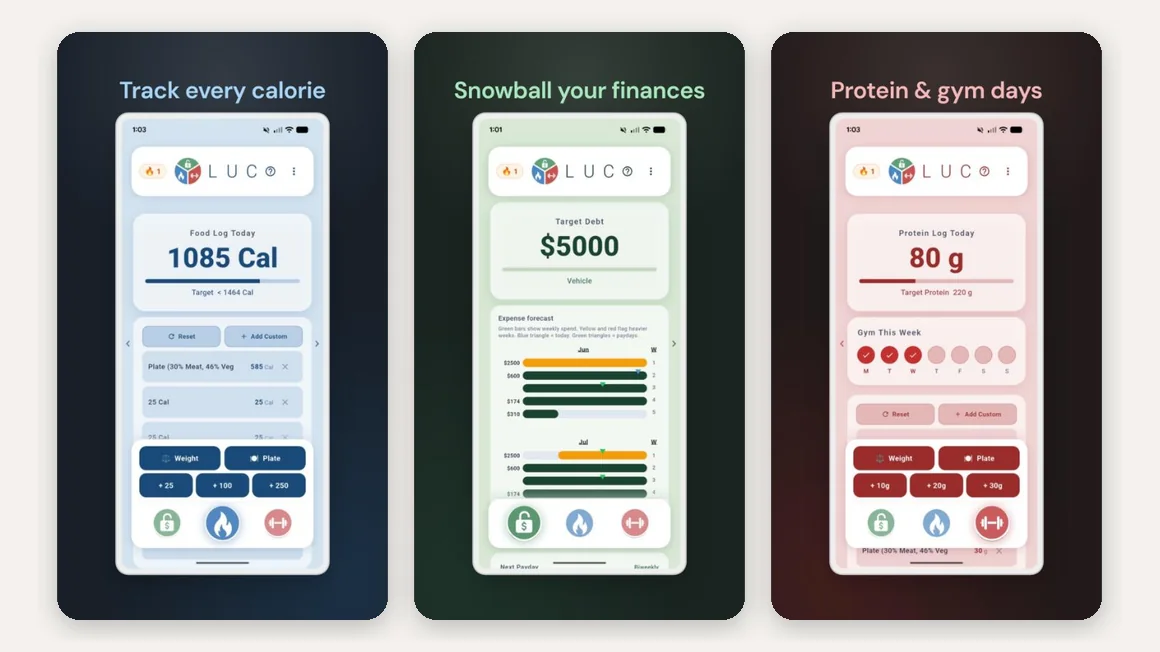
The difference from GetYourMacros is substantial: LUC's budget is a general ledger you fill in by hand, not linked to what you eat. It does not tell you what your plan costs, does not generate a shopping list and does not compare supermarkets. At the time of writing the app is not available on iPhone and its Google Play listing shows no ratings yet.
Best for: keeping personal expenses and calories under one roof on Android, without expecting the two to talk to each other.
3. YAZIO: the free calorie counter with recipes and fasting
YAZIO is among the most downloaded calorie counters in Italy and a good choice if the only budget you care about is the calorie one. The free tier includes the diary, the barcode scanner, step counting and an intermittent-fasting timer with more than twenty programmes. The recipe library exceeds 2,900 entries, although many are reserved for PRO, which starts at €29.99 a year on the Italian App Store and rises with longer plans or add-ons.
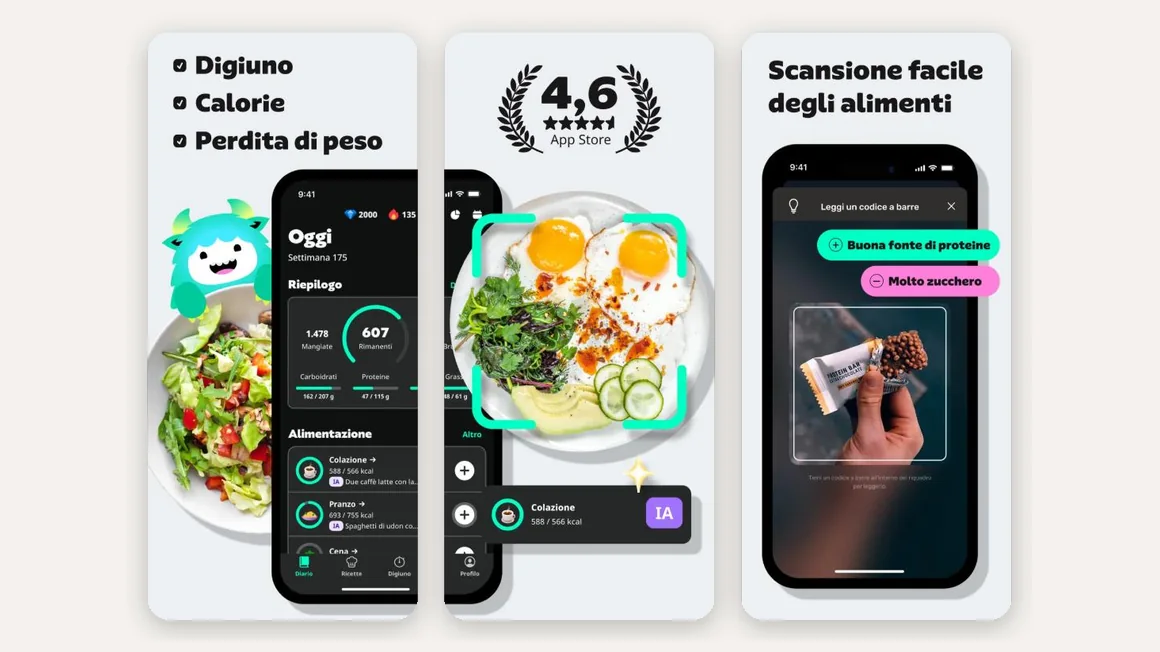
On the grocery side there is nothing: recipes carry no cost and there is no priced shopping list. To use YAZIO while watching your wallet you will need a spreadsheet, or our guide to budget meal planning.
Best for: a free, polished calorie counter with intermittent fasting built in.
4. FatSecret: the most complete free calorie counter
FatSecret is the veteran of the category and still has the most generous free tier: diary, barcode scanner, food recognition from photos, weight and activity tracking, community and a database with plenty of Italian products. Premium costs between €35 and €54 a year depending on the plan and adds meal plans and advanced features, but you do not need it to count calories.
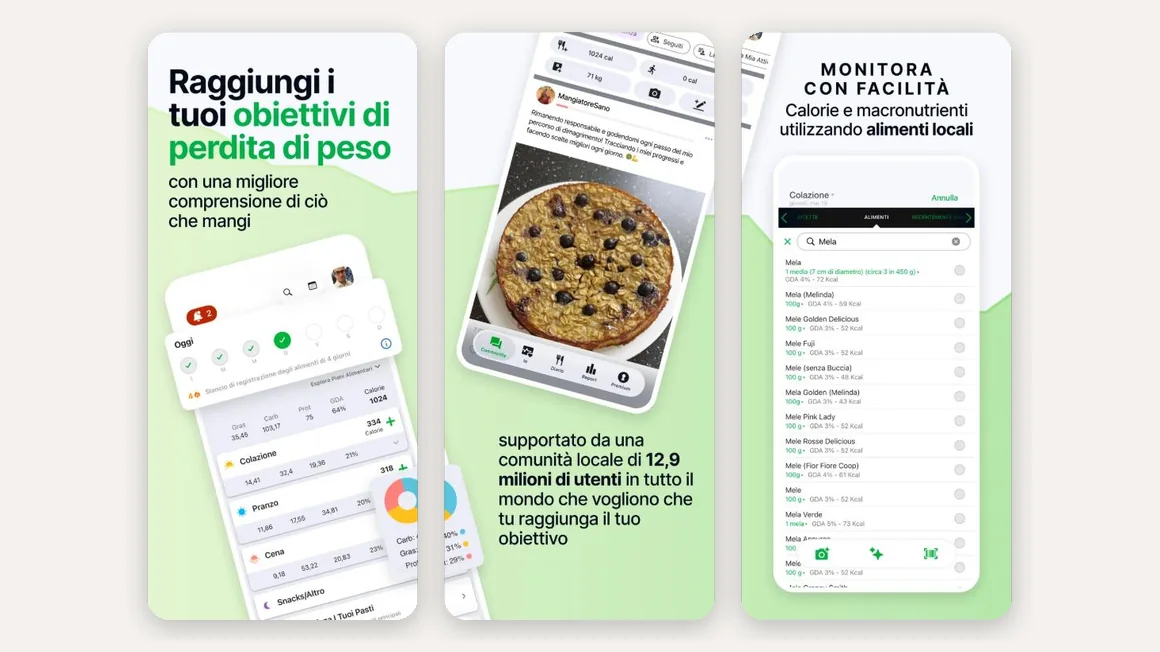
No grocery budget here either. FatSecret tells you everything about the plate and nothing about the receipt.
Best for: getting the most for free without needing to plan groceries.
5. MyFitnessPal: the largest database, scanner behind the paywall
MyFitnessPal has the largest food database in the category, with millions of user-submitted entries, and remains the reference for long-time trackers. Since 2022, however, the barcode scanner is available only with Premium, which costs €9.99 a month or €49.99 a year on the Italian App Store. On the free tier you search every food by hand, and the number of duplicate entries makes that slower than it looks.
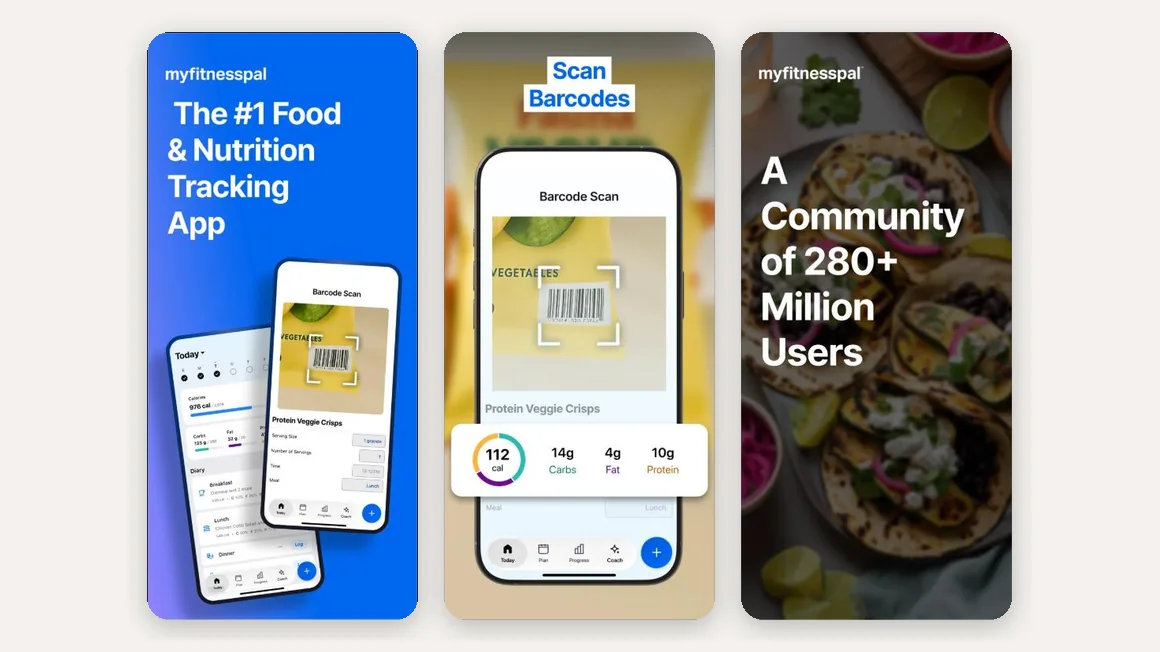
There is no grocery budget. If you want MyFitnessPal's database and cost control, you will be running two apps.
Best for: people with years of history in MyFitnessPal or who want the widest database and are willing to pay for the scanner.
6. Cronometer: for micronutrients too
Cronometer is the calorie counter of choice for going beyond macros: it tracks more than 95 vitamins and minerals on a database of over a million verified foods, and the barcode scanner is free. Gold costs €11.99 a month or €69.99 a year and unlocks advanced analysis and charts. It is the most precise app on the list, and also the one that asks the most time per meal.
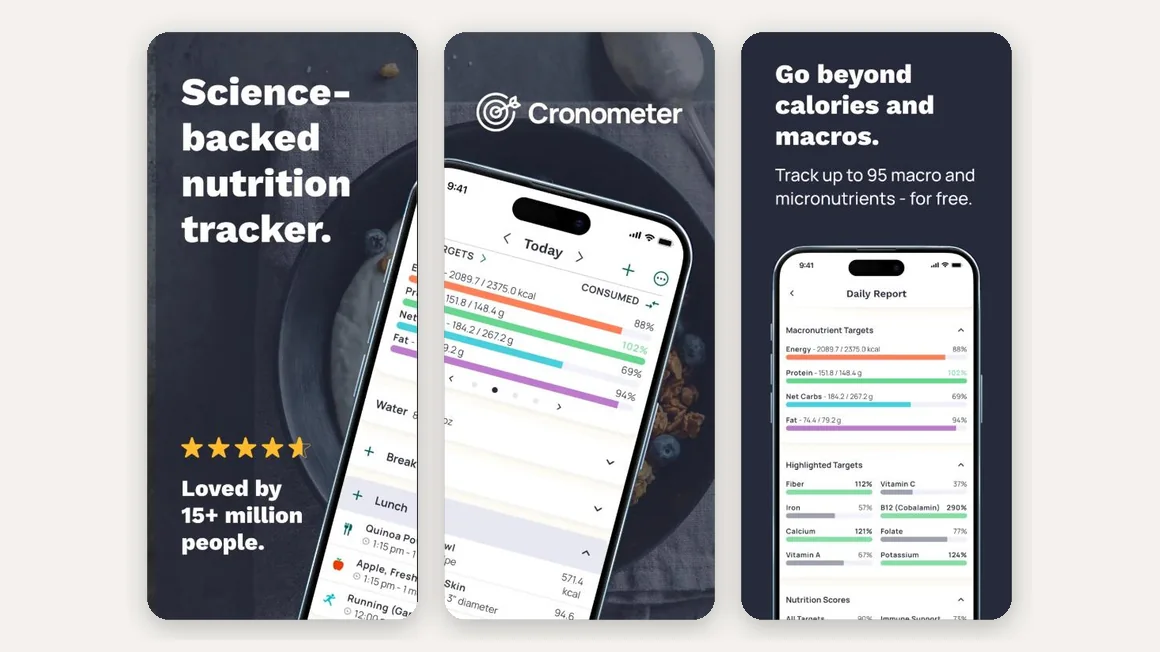
Like the others, it has no notion of price or grocery budget.
Best for: specific diets or checking micronutrients, not speed or cost control.
How to set your calorie budget
Whichever app you choose, the starting number is the same. Estimate your basal metabolic rate with a formula such as Mifflin-St Jeor (for men: 10 × weight in kg + 6.25 × height in cm − 5 × age + 5; for women the same minus 161), multiply it by an activity factor between 1.2 (sedentary) and 1.9 (very active) and you have your daily needs. To lose weight subtract a 10-20% deficit, typically 300 to 500 kcal; to build muscle add a small surplus.
Inside that budget, how you spend it matters: protein, between 1.6 and 2.2 grams per kilo of body weight, is the line to protect, because it preserves muscle and keeps you fuller. If macros are new to you, our guide to what macros are explains where these numbers come from. GetYourMacros does the whole calculation during onboarding and lets you edit every target whenever you like.
How to set your grocery budget (and keep it)
The second budget is the one apps forget. A realistic starting point: according to ISTAT, in 2024 the average Italian household spent just over 500 euros a month on food and drinks, about 19% of total spending. For one person cooking at home, 50 to 70 euros a week is sustainable without giving up protein and vegetables; in big cities or with special needs it goes up.

Three rules make the grocery budget compatible with the calorie one:
- Think per serving, not per receipt. A kilo of dry lentils or a family pack of chicken breast costs more at the till but far less per meal. The number to watch is the cost per serving, better still per gram of protein.
- Pick protein by price. Eggs, legumes, canned tuna, Greek yogurt, chicken and oily fish cover your protein needs at a fraction of the cost of salmon and premium cuts. We collected the best cheap protein sources with indicative costs.
- Plan before you buy. A shopping list that comes from the weekly plan removes impulse purchases and waste, the most invisible cost of all. If you have a fixed ceiling, our page on the budget diet shows how a whole week is built inside it.
With an app that links the two budgets, these rules do not require discipline: the plan is born inside the spending ceiling, the list splits across the supermarkets where each product is cheapest and the spending tab tells you mid-week whether you are drifting over.

Which one should you choose?
- You want a calorie counter and grocery budget in the same app: GetYourMacros. It is the only one where plan, list and diary share the same spending ceiling.
- You want personal finance and calories under one roof, on Android: LUC, accepting that the two modules do not talk to each other.
- You only need a free calorie counter: FatSecret for the most complete free tier, YAZIO if intermittent fasting matters to you.
- You want micronutrients: Cronometer, budgeting more time per meal.
- You have years of history and want the biggest database: MyFitnessPal, knowing the scanner is paid.
The simplest rule: if your diet fails because of hunger, you need a better calorie counter. If it fails at the end of the month, you need a calorie counter that also knows what things cost.
Frequently asked questions
Is there an app that combines a calorie counter and a grocery budget?
Yes. GetYourMacros is a free calorie counter for iOS and Android that keeps calories, macros and grocery spending together: the weekly plan respects the budget you set, the shopping list splits across the supermarkets you choose and the spending tab counts the cost of the food you actually eat. LUC, Android only, pairs a calorie counter with a general personal budget that is not linked to your meals.
What is a calorie budget?
Your calorie budget is the amount of energy you can eat in a day to reach your goal: it is the number shown in the diary ring. You estimate your daily needs (basal metabolic rate times an activity factor), then subtract a 10-20% deficit to lose weight or add a small surplus to build muscle.
What is the best free calorie counter?
If you only need to count calories, FatSecret and YAZIO offer the most complete free tiers, barcode scanner included. If you also want to control grocery spending, GetYourMacros is free and needs no account to start. MyFitnessPal has the largest food database, but its barcode scanner is Premium only.
How much should I spend on groceries per week while dieting?
According to ISTAT, an Italian household spends just over 500 euros a month on food and drinks, about 19% of total spending. For one person cooking at home, 50 to 70 euros a week is a realistic range. A diet does not have to cost more: cheap protein sources (eggs, legumes, chicken, canned tuna, dairy) and meal planning keep the bill under control.
Are calorie-counting apps accurate?
Accurate enough for the purpose, as long as you use them consistently. Any single entry carries an error margin (portions, database entries, photo estimates), but what matters is the trend: 7- and 30-day averages absorb daily errors and tell you reliably whether you are in a deficit.
Do I need an account to start using GetYourMacros?
No. Enter your height, weight, goal and weekly budget and you get your first plan with calories already calculated. You can create an account later to keep your data across devices.
Want to see the diary in detail? Discover the GetYourMacros calorie counter, which logs a meal in seconds with a photo, a barcode or a search.
Start for free
Calorie counter, weekly plan and shopping list inside the budget you decide.