
How to Create a Recipe From Your Macros (Free Tool)
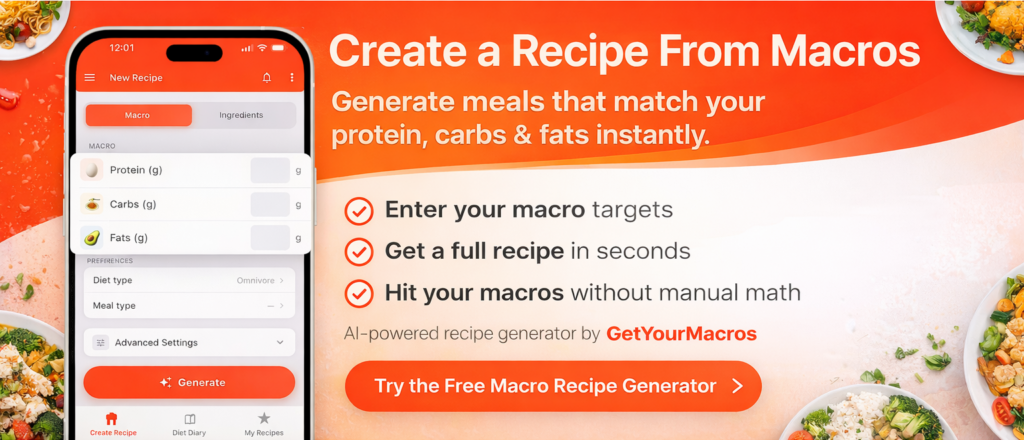
Creating a recipe from macros means designing a meal that hits your exact protein, carbohydrate, and fat targets without guessing portions or doing math by hand.
Almost no apps focus on this feature, yet it’s one of the most useful tools for anyone tracking macros, whether you’re cutting, bulking, or maintaining.
In this guide, you’ll learn how to create a recipe from macros using GetYourMacros, why it matters for your goals, and how to get consistent results every time.
Why Create a Recipe From Macros?
When you know your daily macro targets (e.g. 150g protein, 200g carbs, 65g fats), the next step is building meals that fit. The problem is:
- Manual recipe math is tedious and error-prone
- Generic recipes rarely match your exact targets
- Repeating the same few meals gets boring
- Most apps only show macros for existing recipes
Creating a recipe from macros solves this: you enter your targets, and the tool generates a recipe that hits them. It’s the core feature missing from most fitness and nutrition apps.
How to Create a Recipe From Macros (Step by Step)
1) Know your macro targets
Before you create a recipe, you need your protein, carbs, and fat targets for the meal (or per serving).
Use the calculator below to get your daily totals, then split them across meals to get per-meal targets for recipe creation.
Calculate your daily macro targets
Your daily macro targets
Calories: 0 kcal
Protein: 0 g
Carbs: 0 g
Fats: 0 g
Divide by your meals per day to get per-meal targets for recipe creation.
2) Use GetYourMacros to generate recipes from macros
Most apps only let you log meals or browse recipes. You need one that creates recipes from your macro inputs.
In GetYourMacros, you:
- Enter protein (g), carbs (g), and fats (g)
- Add preferences (diet type, intolerances, meal type, equipment)
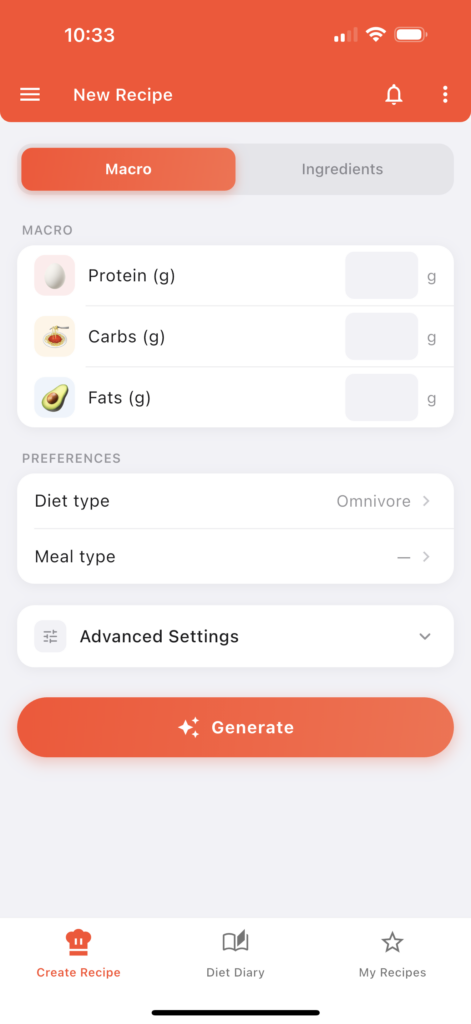
- Tap “Generate” and get a full recipe in seconds
- See ingredients, steps, tips, and macros that match your targets
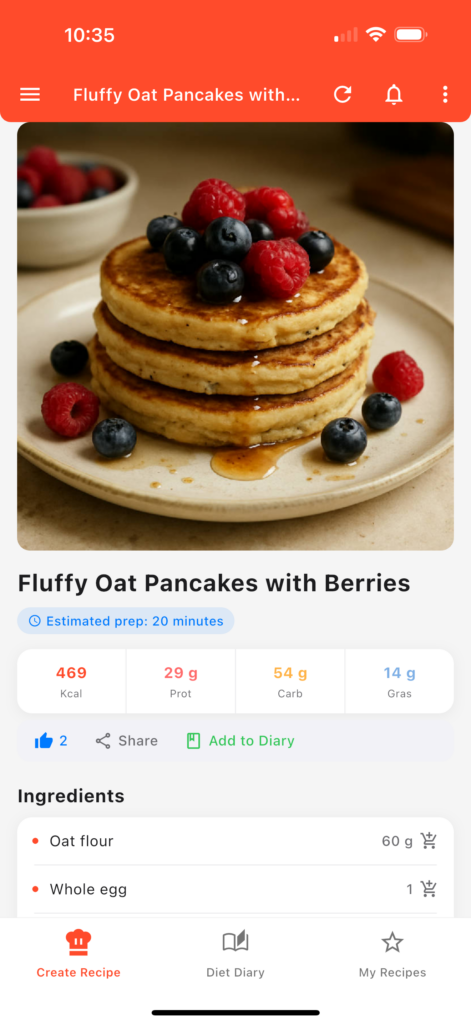
No manual math, no guessing. The AI builds the recipe around your macros.
3) Add the recipe to your Diet Diary and track your macros
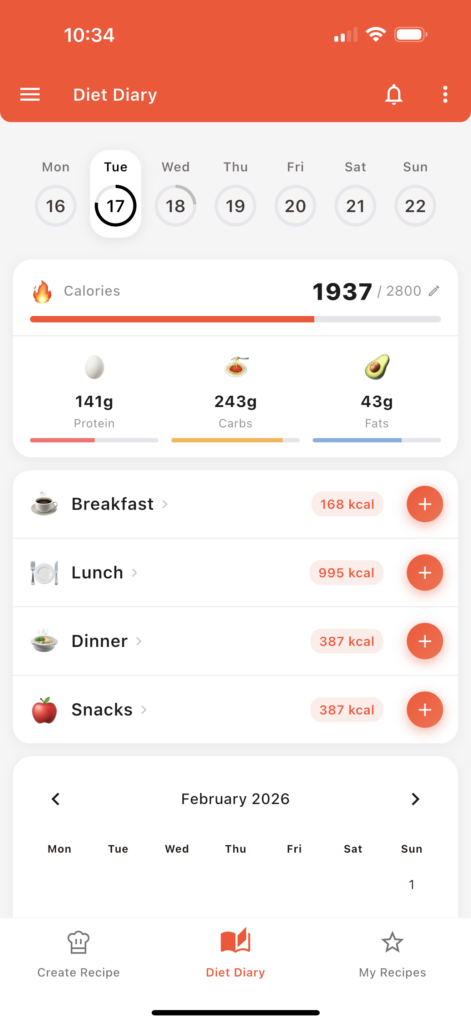
Once the recipe is generated, you can save it and add it directly to your Diet Diary. This lets you log the meal instantly, keep track of your daily protein, carbs, and fats, and see how the recipe fits into your nutrition goals. You can also add it to your meal plan so your macro tracking stays simple, organized, and consistent.
Why This Feature Is Rare (and Why It Matters)
Almost no apps focus on creating recipes from macros. Most offer:
- Recipe databases with fixed macros
- Meal logging
- Generic meal plans
But you need recipes that adapt to your targets. That’s exactly what “create recipe from macros” does. It’s the core feature missing from the market—and it’s what makes a tool like GetYourMacros different.
Tips for Better Results
- Be specific: Add diet type (vegan, vegetarian, etc.), intolerances, and equipment so the recipe fits your setup.
- Use meal type: Breakfast, lunch, dinner, or snack—helps the AI choose appropriate formats.
- Vary your targets: Change the macro split between meals to get different styles (e.g. higher carbs for post-workout).
- Regenerate if needed: Don’t like the first result? Generate again with the same or different inputs.
⚖️ The Bottom Line
Creating a recipe from macros is the missing piece for most people tracking macros. Instead of guessing portions or eating the same few meals on repeat, you can generate recipes that hit your targets every time—without manual math.
👉 With GetYourMacros, enter your protein, carbs, and fats, add your preferences (diet, meal type, equipment), and get a full recipe in seconds. Save it, add it to your diary, and hit your macros.